Admin User (Web)
Section that allows you to enter the Website User login with the following information:
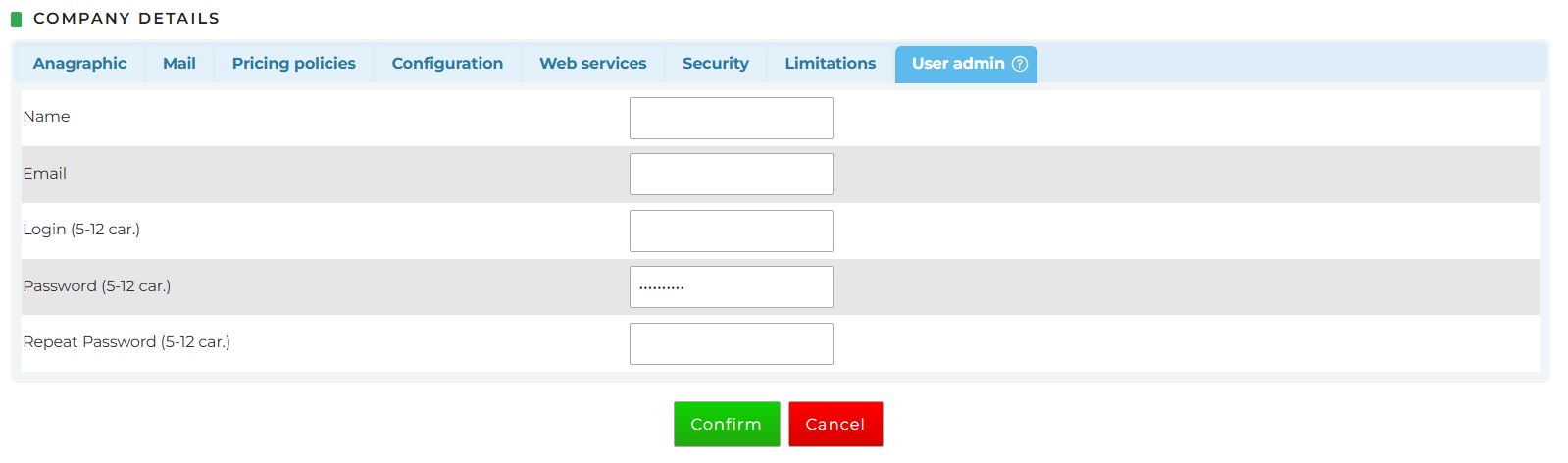
When a new Web User is created, the system will send an email containing only the company code and username; the password will not be included. A separate email will also be sent inviting the Client to set their password using the Password Reset function. Alternatively, passwords can be shared with users through another secure channel.
For XML clients, it is possible to:
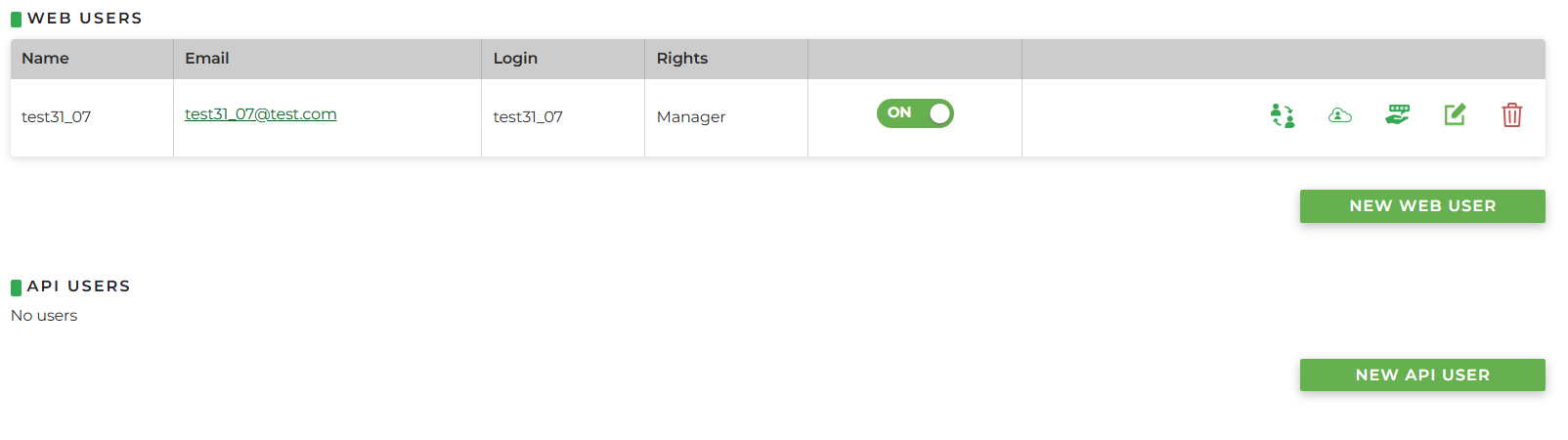
- best practice: create the Web User with "manager" rights and allow the customer to independently create the API user (from User Management > Users) , since an API user does not have the ability to use the password recovery procedure
or
- create both the Web user and the API user, and share the API user's password via a separate channel
Below are the icons available for each user:
- View as: allows impersonating the user to see what they see in their system
- Foreign code
- Send credentials: it is possible to choose whether to send only the company code and username, only the password recovery request, or both
- Change: allows modifying the entered information
- Delete: allows deleting the user