General Services
This section allows you to create Generic Services such as flight, train, concert tickets, etc., useful for invoicing the Client.
From Admin > New Services, New Service button, you will be able to fill in the following screen:
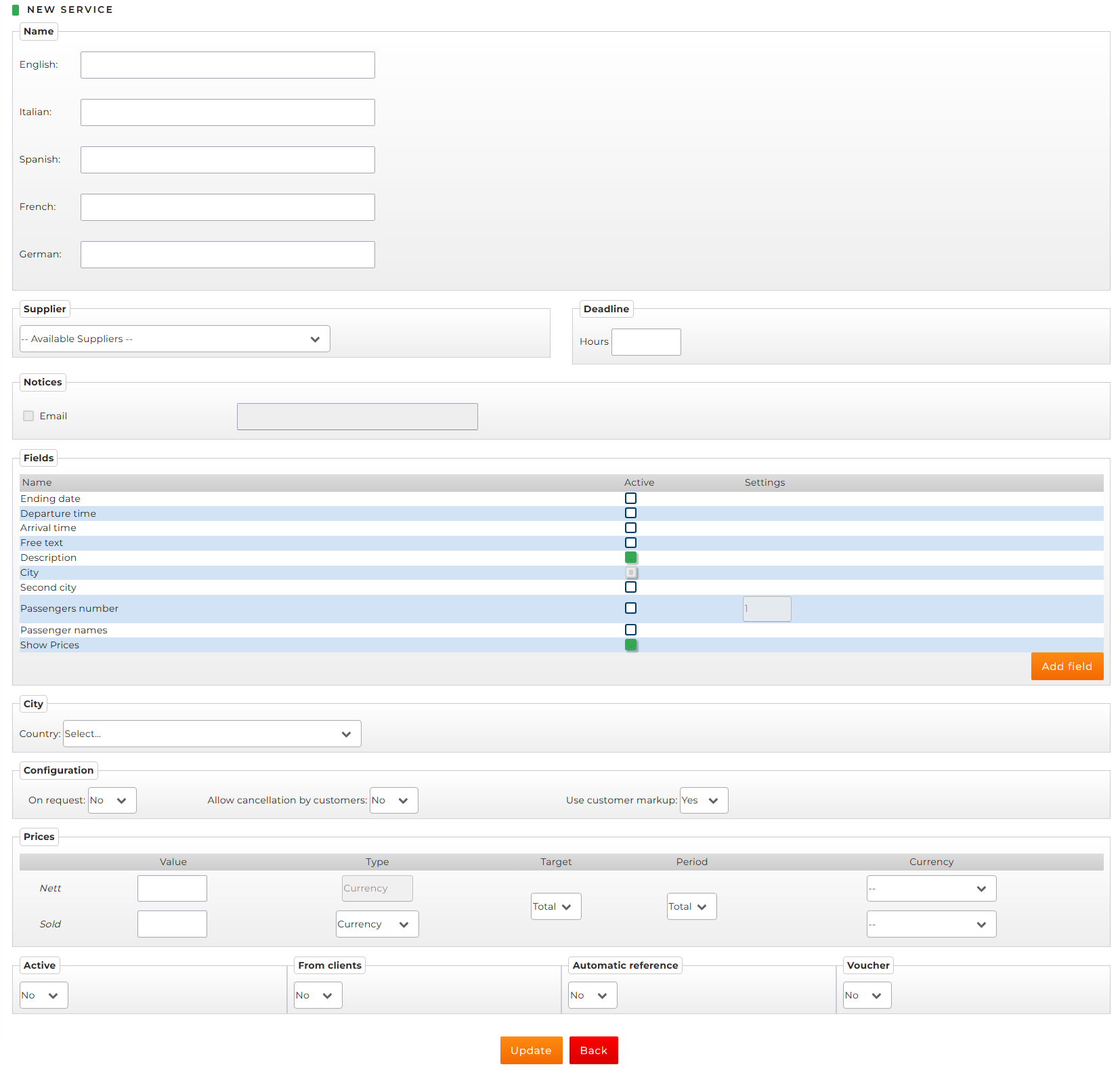
- Name: define the name assigned to the General Service, along with any translations
- Supplier: select the supplier previously created from the drop-down menu
- Deadline: define any applicable penalty hours
- Notices: check the "Email" box to specify the email address(es) where notifications will be sent
- Fields: choose the fields you wish to enable for the Generic Service
- City: after defining the Country, select the City: mandatory field that can be changed even after creation (to avoid having to create a separate General Service for each desired city)
- Configuration
- On request: defines whether the service is available for immediate confirmation or not
- Allow cancellation by customers: allows the service to be canceled by the Client
- Usa customer markup: enables the use of the Client’s custom markup
- Prices
- Value: define the Net price and the Selling price, if you wish to apply a profit margin
- Type: choose between Currency (fixed amount) or Percentage
- Target: choose whether the price is Total o per Pax
- Cadenza: choose whether the price is Total o per Day in temporal terms
- Currency
- Active: allows you to activate or deactivate the General Service
- From Clients: allows your Clients to book the Generic Service via Booking Online > General Services
- Automatic Reference: if set to Yes, the system will automatically populate the supplier reference with the booking name. If set to No, the booking’s supplier reference will be filled with a generic “--TBA--” which can be modified through a standard booking edit.
- Voucher: choose whether a Voucher should be generated or not