Suppliers Traffic
From Stats > Supplier Traffic > Booking Sessions
Two pages are available:
-
Group by supplier where it is possible to monitor the reliability of Suppliers and identify any issues related to the booking flow. This can be done by setting the filters:

-
Period
-
Client: optional field
- Suppliers: select the Suppliers from the dropdown menu
Two Global stats per supplier charts will be generated for each supplier: the first showing results in absolute values, the second in percentage values.
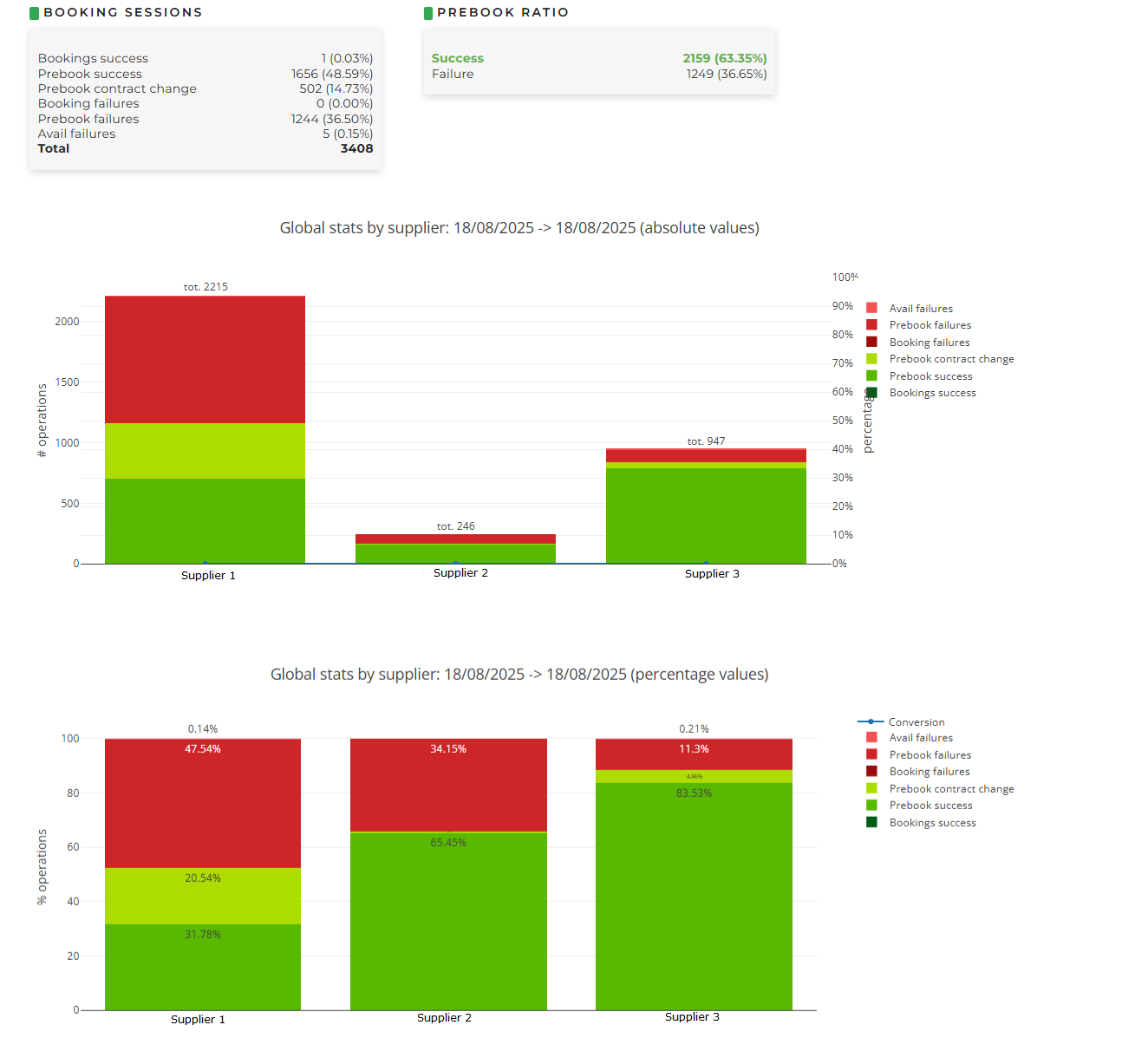 The report describes in detail the numbers of successes and failures for each phase of the booking process, with the statuses explained at the end of this page.
 -
NOTE: in the case of a high failure rate, it is recommended to temporarily disable the Supplier and contact them directly to identify the issue.
-
Group by client where it will be possible to monitor which Clients are sending traffic to the Suppliers, thus viewing which clients have generated the highest number of booking sessions. It will be possible to define:

-
Period
- Suppliers: select the Suppliers from the dropdown menu
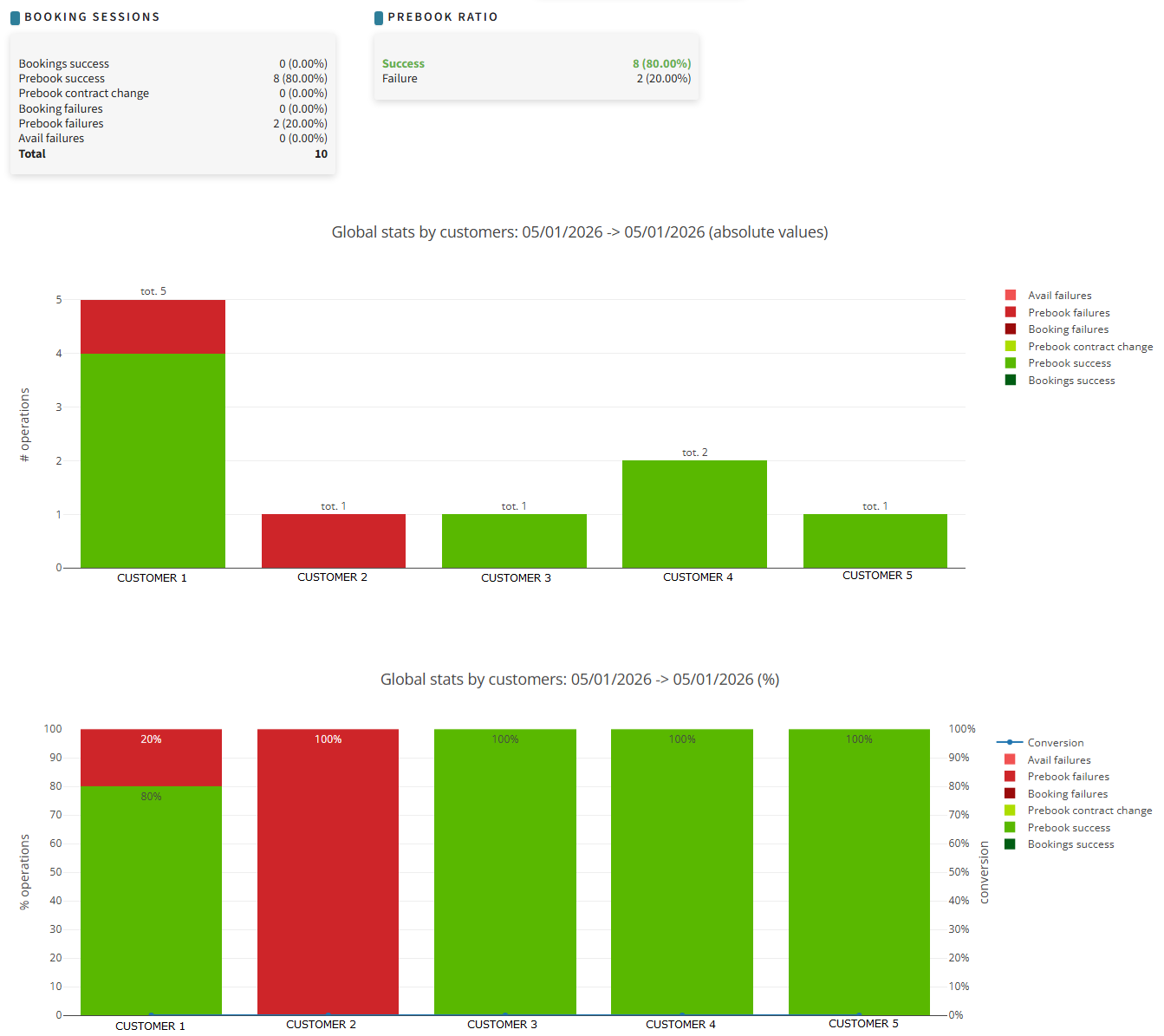
Two Global stats per customer charts will be generated for each supplier: the first showing results in absolute values, the second in percentage values.
-
-
Status:
-
Conversion: (only in the percentage values chart) the percentage ratio between booking sessions and bookings
-
Avail failures: some suppliers require an availability search before the prebook phase; failures in these availability searches usually occur due to an outdated cache or the presence of traffic limiters set by the Supplier
-
Prebook failures: failures during the prebook verification phase, typically caused by an outdated Supplier cache (e.g., due to price or availability changes)
-
Booking failures: failures during the booking phase. A generic error is usually generated by the Supplier at the time of booking confirmation
-
Prebook contract change: contractual changes during the check of conditions before booking
-
Prebook success: successful prebook confirmations
- Booking success: booking successfully completed
-