Online Bookings
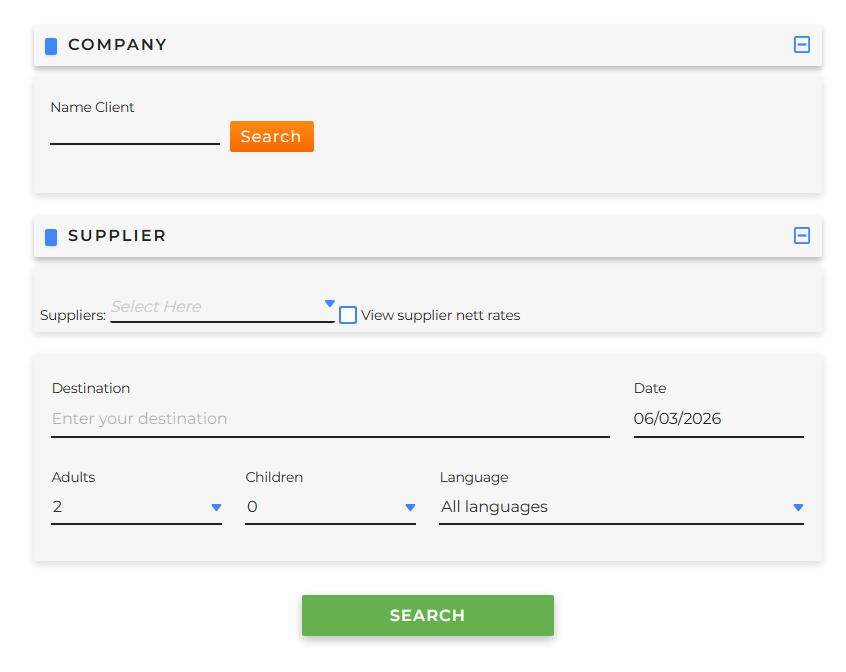
To make an availability request, go to Booking Online > Activities.
-
Company it is mandatory to select a client with whom to perform the search, defining:
- Name Client
- Client
- User
-
Supplier
- it is possible to filter the results for specific suppliers
- View supplier net rates: it is useful to select this option when performing search tests, as the displayed price will be shown without any markup value applied
- Search form it is mandatory to fill in all the fields below in order to proceed with the search:
- Destination
- Date: on which the activity will take place
- Adults: define the number of adults
- Children: define the number of children and then indicate their age
- Language: optional field; it can be selected if you want to search for activities that offer the selected language. Activities without any language specified will also be displayed.
After filling in all the search parameters, the system will return all the available contracts:
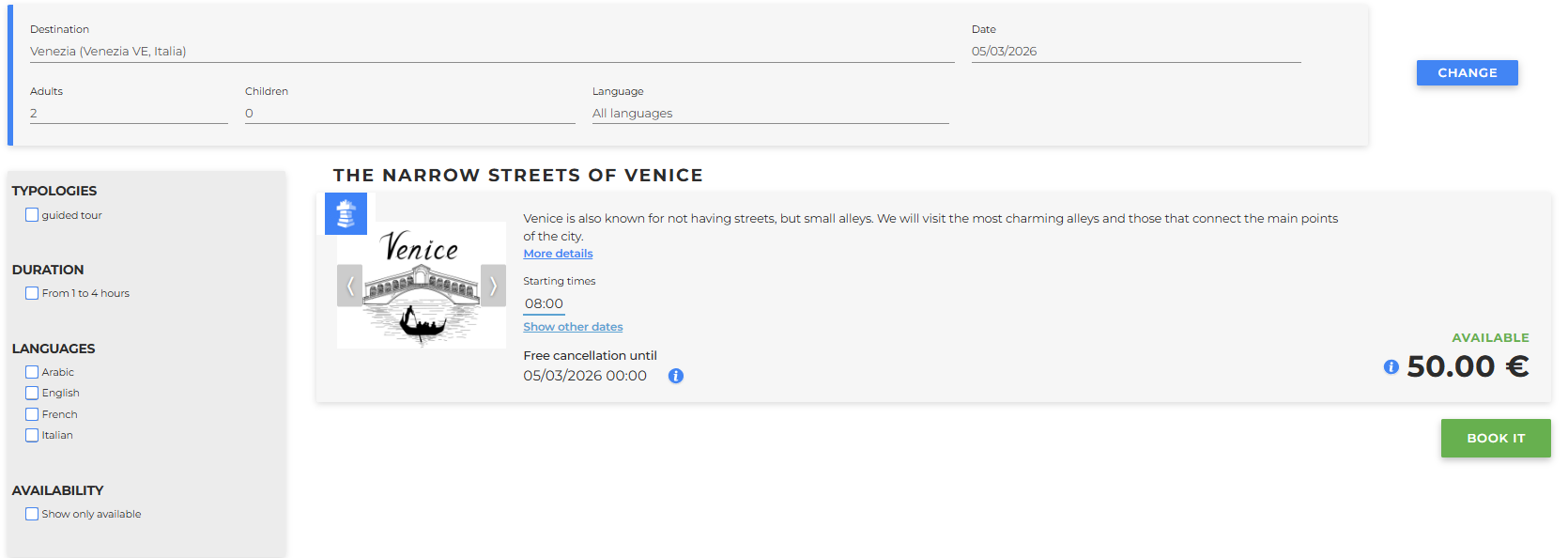
Each result will show information about the activity, based on the information entered during the creation of the contract.
The result will consist of:
-
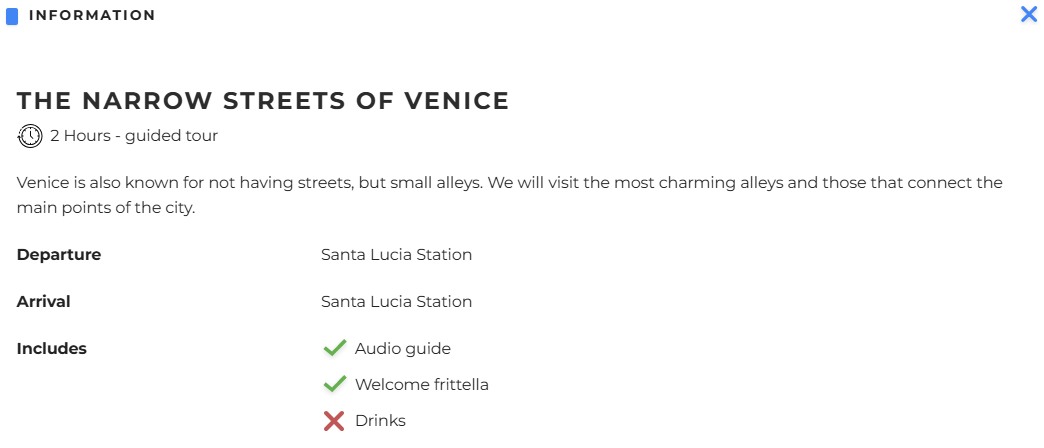
A description of the activity; by clicking more details, the following will be displayed:
- activity duration
- departure location
- arrival location
- what is included and what is not included
example:
-
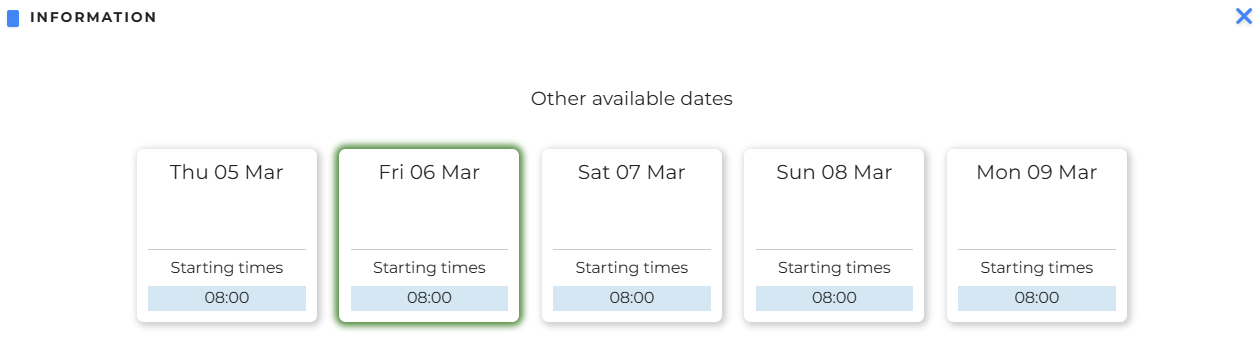
The times at which the activity is available on that day; it is possible to see availability on different days by clicking Show other dates.
NOTE: the price shown refers to the requested date; for other days on which the activity is available, the price may vary:
- Free cancellation until: when the booking can be cancelled free of charge
To book, click Book it and fill in the required information.
The following page will open:
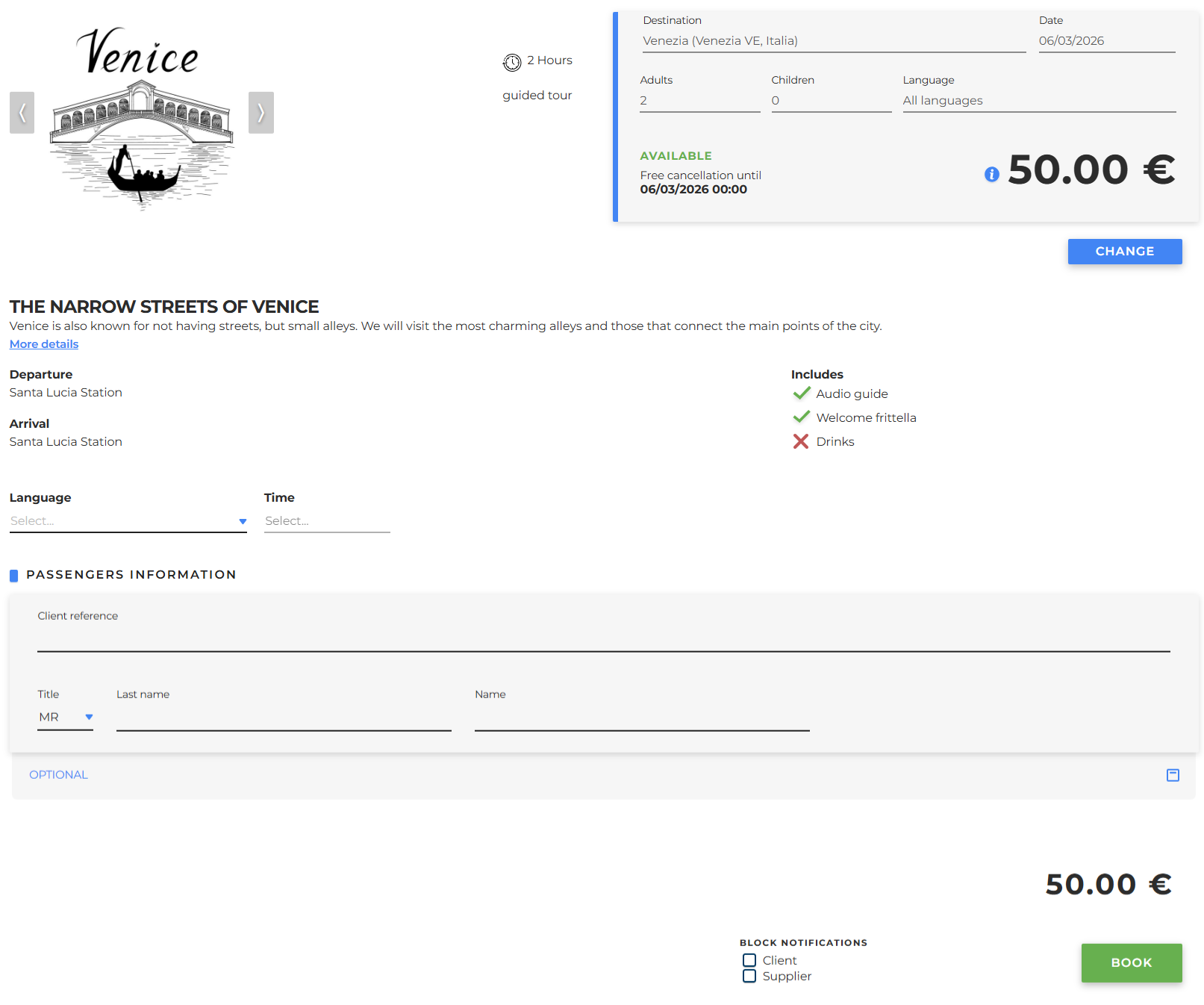
where:
-
all the activity information is displayed:
- pictures
- activity duration
- activity type
- destination
- activity date
- number of adults
- number of children (and their age if present)
- cancellation policies
- price
- what is included or excluded
- Language it is possible to select the language in which the activity will take place among those available
-
Time it is possible to select the time at which the activity will take place where time slots are available
-
Passengers information
- Client reference: Free field to identify the end customer (usually the end customer’s name is written)
- Title: choose MR, MRS, MS
- Last name of the participant
- Name of the participant
- Phone (field not always required)
- Email (field not always required)
-
Optional: it is possible to enter the names of the other participants as well
-
Additional field (if provided in the activity): fill in with the requested information
- Block notifications to avoid sending notifications when making changes to the booking, with the option to choose for:
- Client
- Supplier
Once all the data has been entered, it will be possible to proceed with the booking using the Book button; a window will then appear asking whether to confirm the operation or go back:

By clicking Confirm, the screen of the newly created booking will open, which will be explained in the next paragraph.