Sales Management
This page explains how to assign the "Sales" role to a Tour Operator user and how to assign that Sales to a customer. This allows users with the “Sales” role to access a series of sections containing data related to their portfolio.
First, it is necessary to enable the relevant sections. To do so, log in with a manager account and navigate to User Management > Company's data; in the Sitemodules tab, go to the Sales section and set both the Sales and Sales Management fields to Yes.

-
To create a Sales User, go to Admin > Clients > New Sales
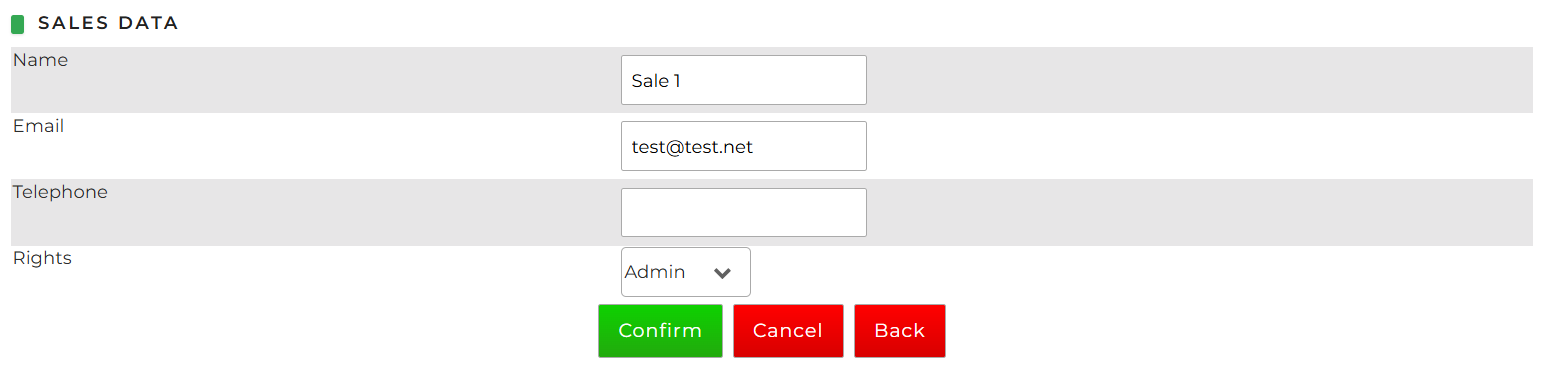 defining:
- Name
- Telephone: optional field
- Rights: choice between Admin (can view and edit the data of the Sales users belonging to the Tour Operator) or User (can only view and manage their own data)
In the Sales section of the menu, it is possible to view the list of Sales that have already been added and, if necessary, edit their details.
- To associate the Sales with the user you are authenticated as, go to User Management > User's Data, click on Edit Data button, Commercial field where you can select the name of the desired Sales:
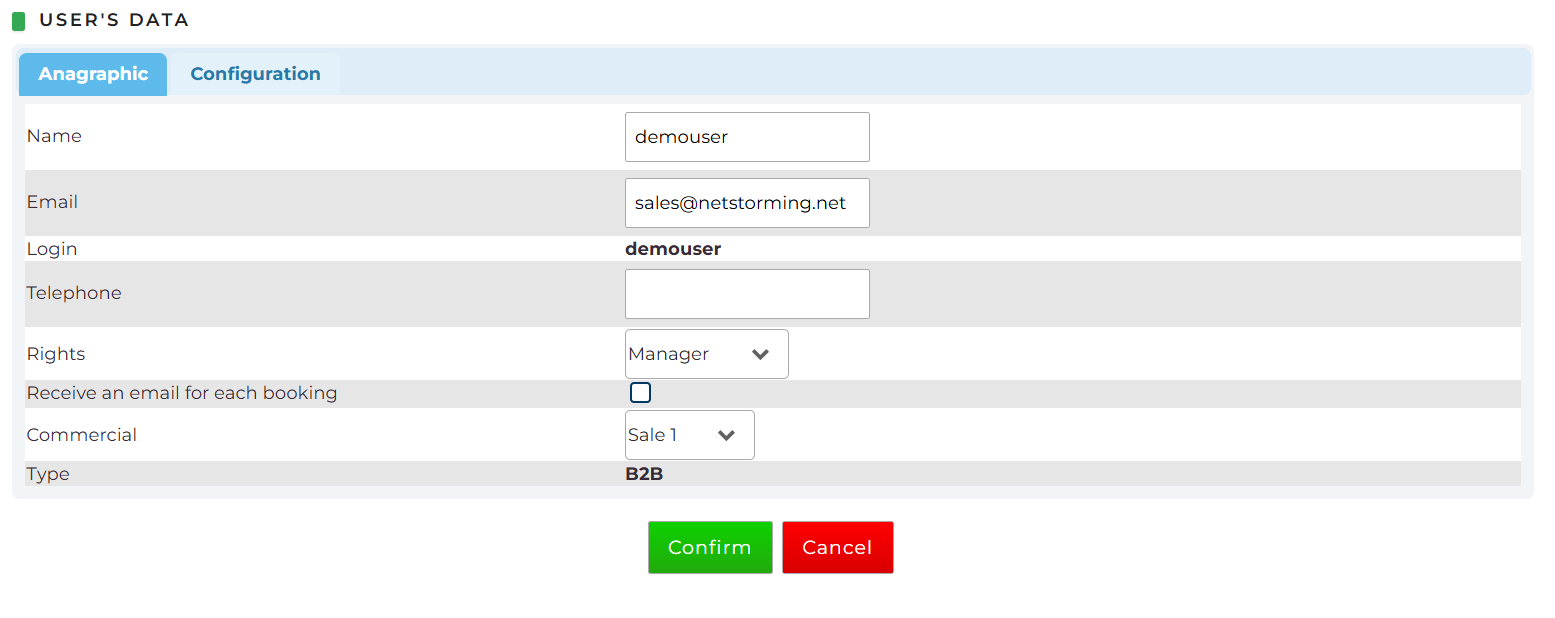 The same operation can also be performed for other users by going to User Management > Users and selecting the desired user from the list.
-
To assign a Sales to a customer, go to Admin > Clients, search for the relevant customer, and click Edit Data. In the Commercial field, you can select the name of the Sales previously created.
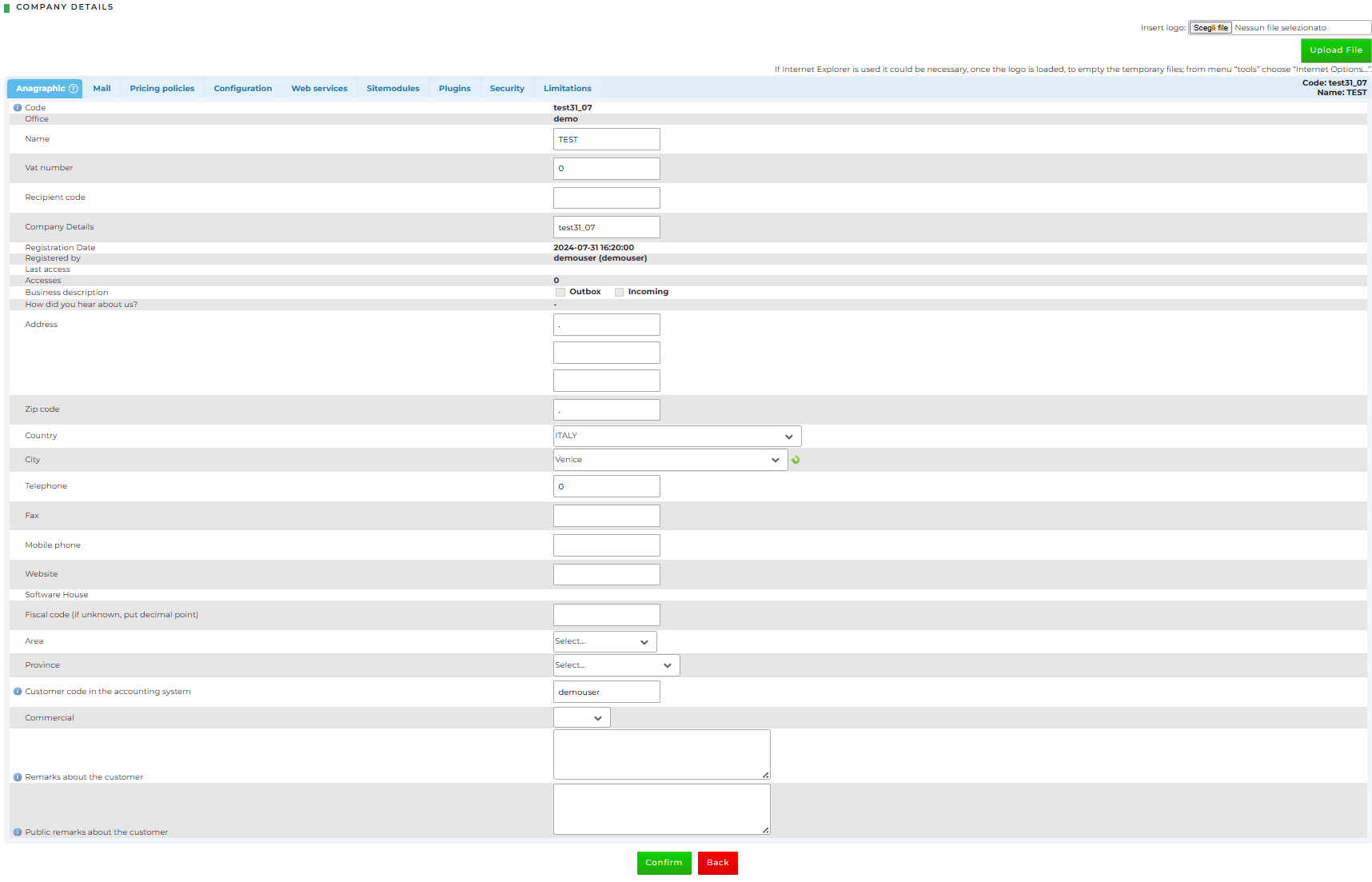
- To search for customers and assign a sales representative to multiple customers at once, go to Admin > Clients > Massive assignment customers sales (Section visible only to users with an assigned sales and "admin" rights)
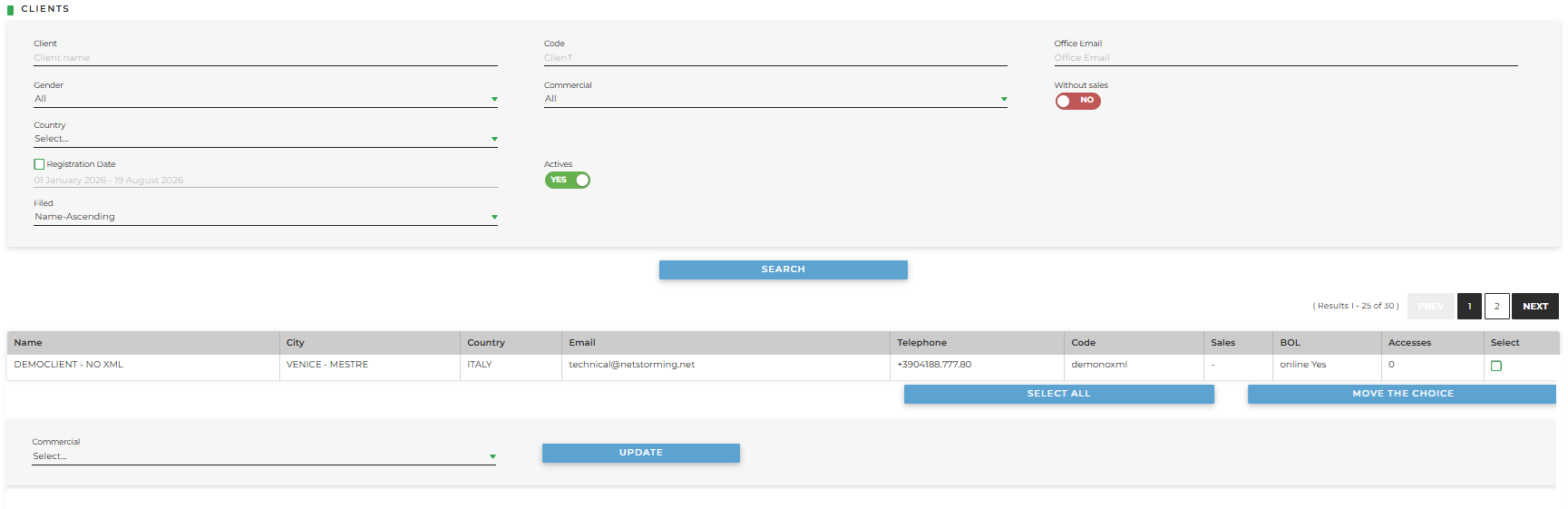
Here, you can optionally filter customers to find the ones you are looking for and, once selected, assign a Sales to one or more clients by selecting the sales from the drop-down menu and clicking Update.