Additional fields typologies
To access this section, follow the steps Admin > Additional fields typologies
In this section, it is possible to create templates of additional information to request from the client during the booking process (for example, the train number).
The system may have preloaded types of additional fields, with the possibility to add new ones:
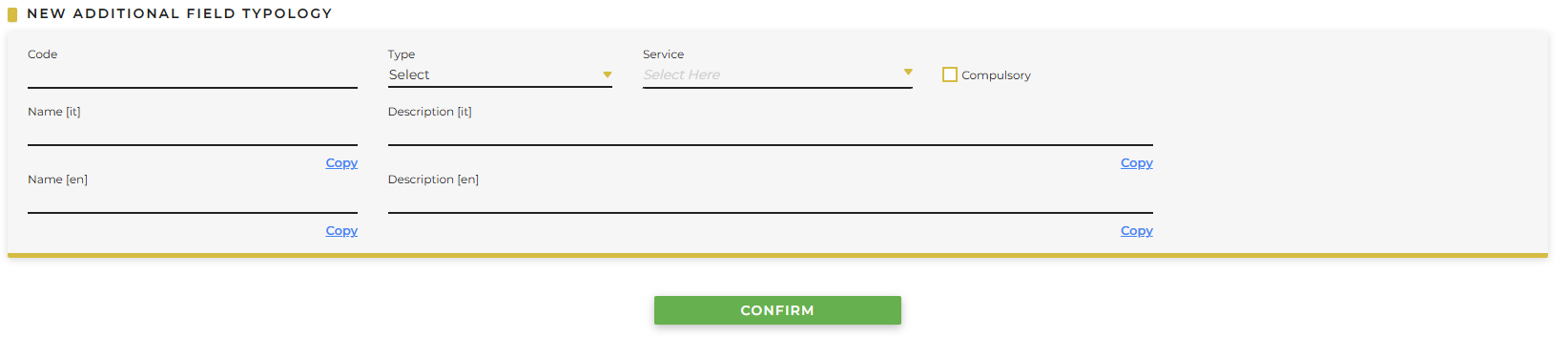
It is necessary to fill in the following fields:
- Code: define an alphanumeric code that identifies the additional field (example: train)
- Type:
- Number: only numbers are allowed as a response
- Date: only a date is allowed as a response
- Time: only a time is allowed as a response
- Date and time: only date and time are allowed as a response
- Yes/No: only yes/no is allowed as a response
- Text: free text is allowed as a response
- Service:
- Transfers: select if the type of additional field is intended for Transfers
- Activities: select if the type of additional field is intended for Activities
- Compulsory: select if a response from the client is mandatory
- Name: define a name that identifies the additional field (example: train number)
- Description: define the request you want to make to the client (example: Please specify the train number)
Click Confirm to save the defined template.